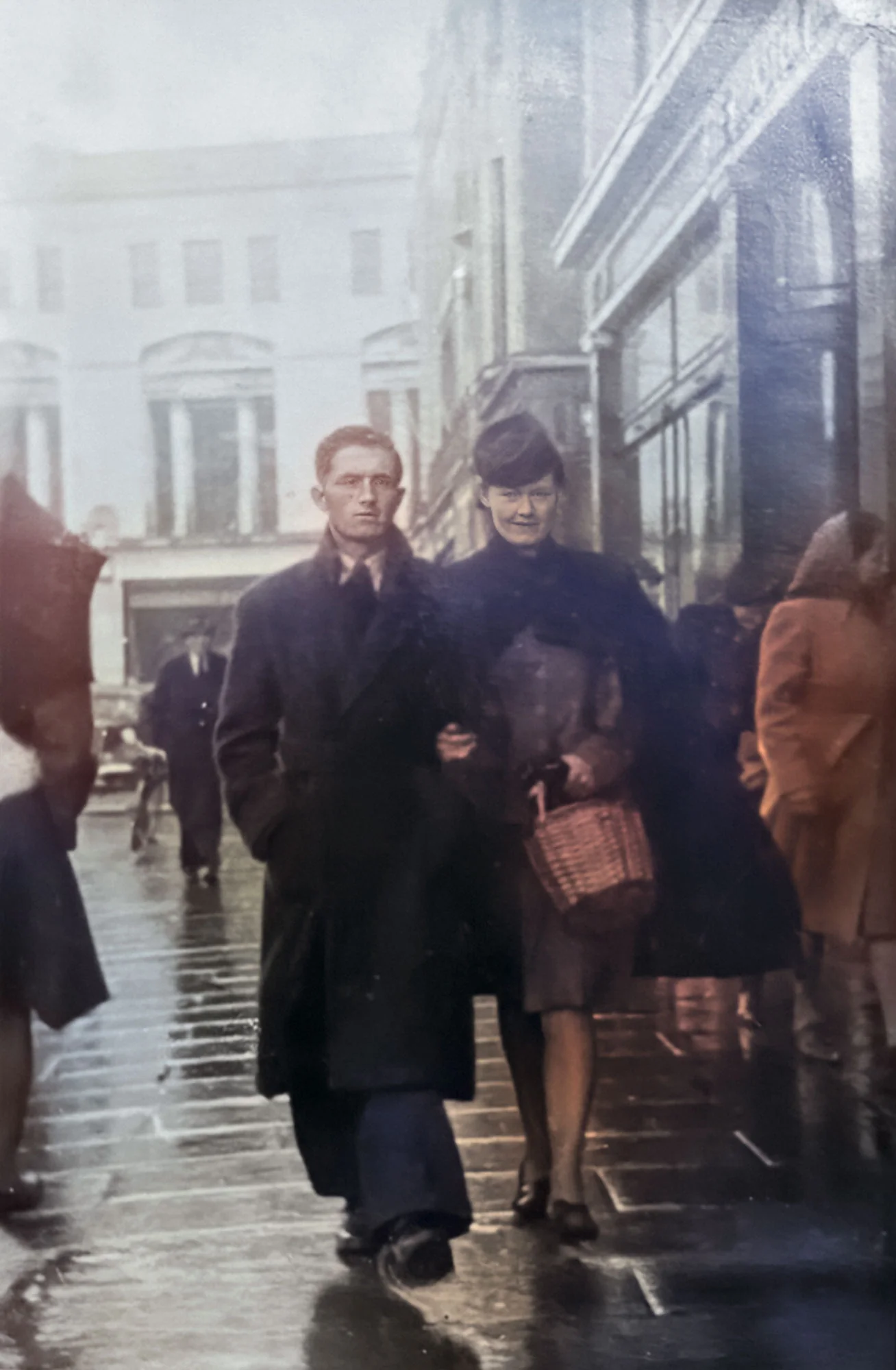
When I first wrote about this in early 2023, AI retouching was new, and old family photos were one of the most striking examples of what it could do. My first studio job was in a place where photography, darkroom work, print and early digital retouching all came together, so watching AI take on work that once took hours by hand was really interesting. Since then the tools have become part of everyday photo apps, and most people can restore their own photos in minutes. This guide covers what the tools do well, where they’re guessing and how to get the best result.
What AI can do for an old photo
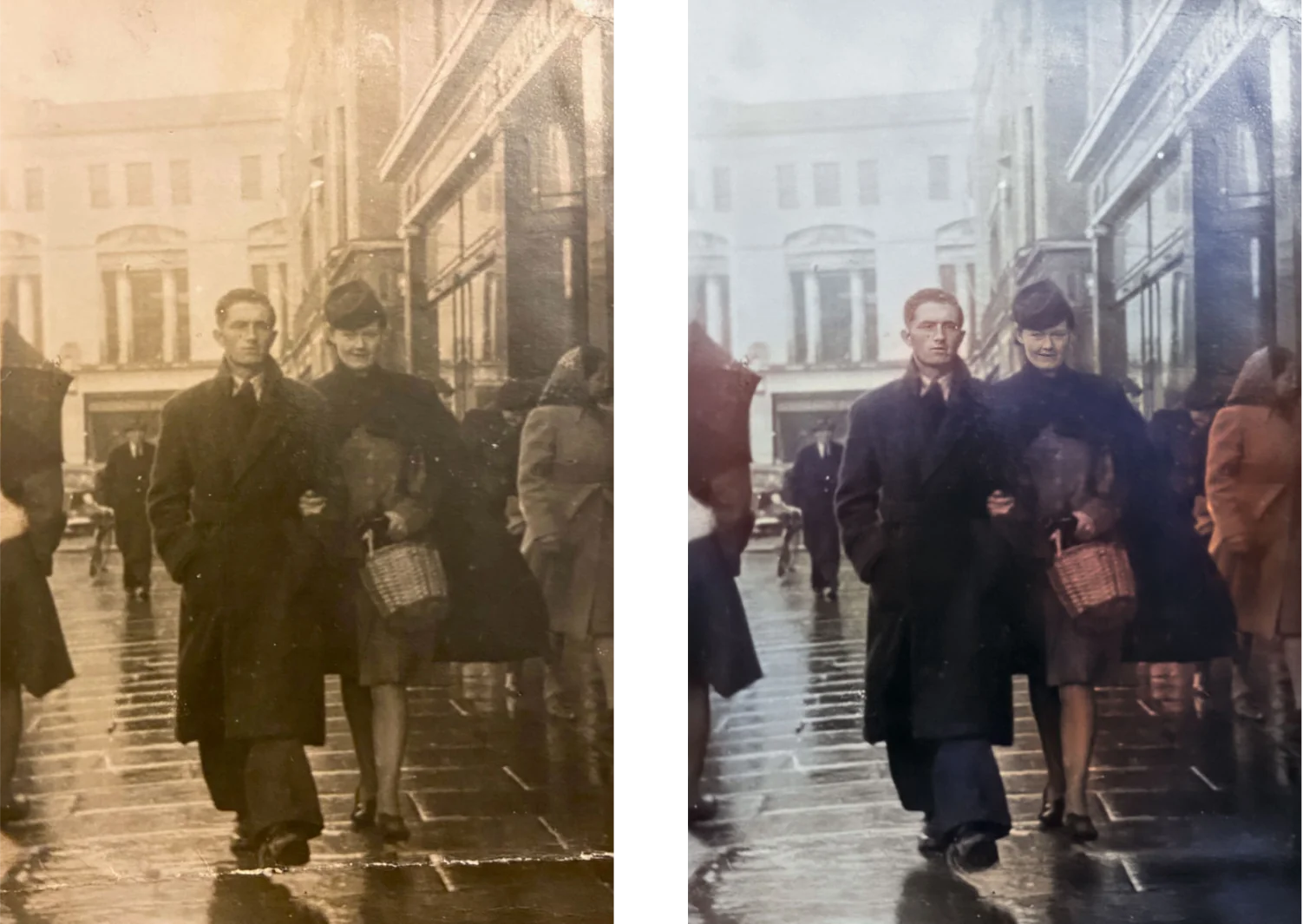
AI image tools have learned from huge numbers of photos, so they can recognise what a picture should contain and work on it in ways that used to take hours by hand. For old photos, they’re good at:
- repairing scratches, creases, dust and small tears
- recovering contrast and detail in faded prints
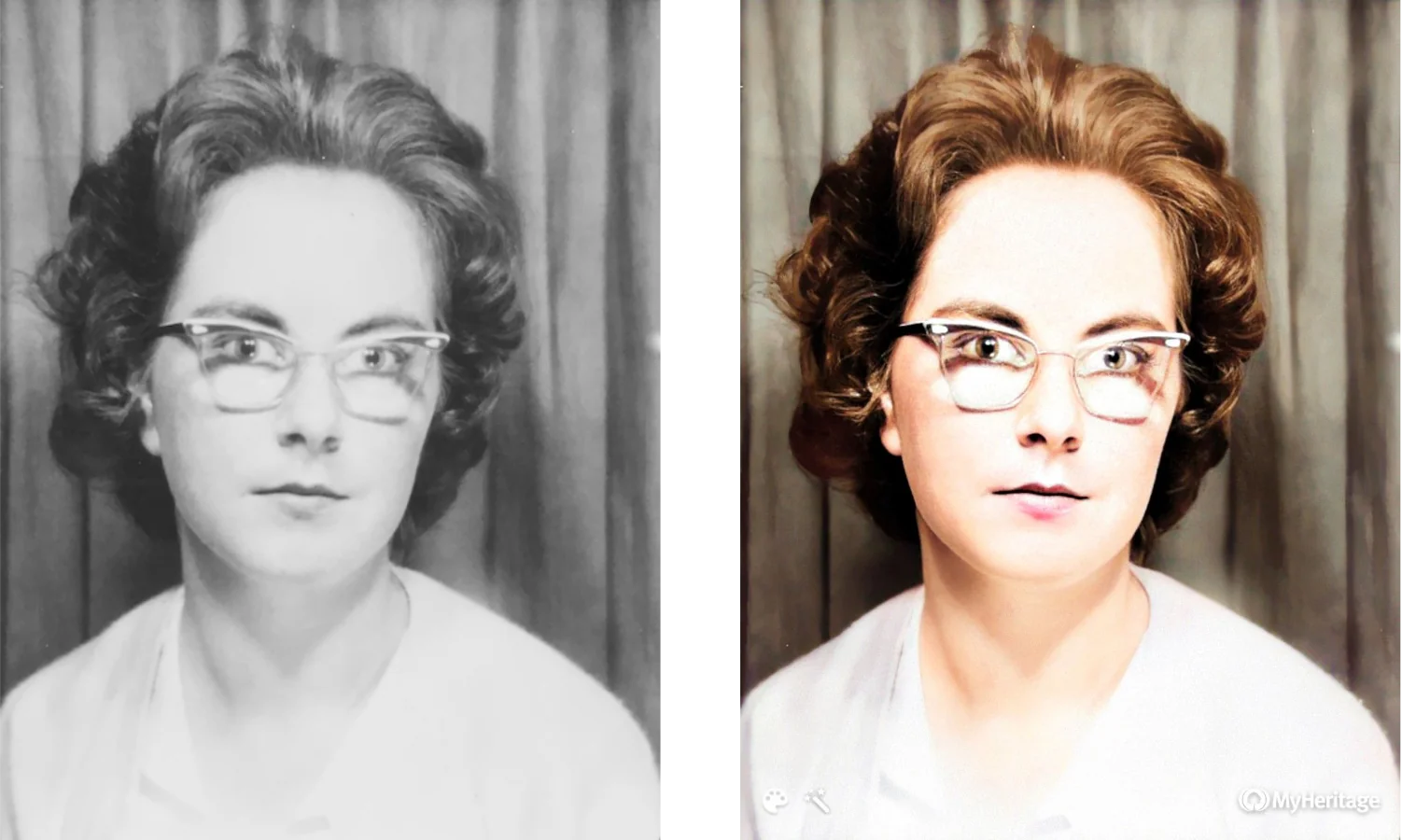
- sharpening faces that are soft or slightly out of focus
- adding colour to black-and-white photos
- extending a photo beyond its edges, or animating a portrait
For a photo that matters, a little retouching by hand afterwards is worth it. The AI tools do the heavy lifting, and the retouching fixes what they get wrong and keeps the photo looking like itself.
Where AI is guessing
This is the part that’s easy to miss. When an AI tool sharpens a face or adds colour, it isn’t uncovering detail hidden in the photo. It’s making a convincing estimate, based on all the other faces and photos it has learned from. Often the estimate is good. Sometimes it changes a face just enough that the person looks like someone else, or picks a hair or eye colour nobody can check.
So treat an enhanced photo as a new version rather than a replacement for the original. Keep the original scan alongside it, and if you can, show the result to someone who knew the person. They’ll spot anything that’s wrong straight away.
Animating and extending photos
Some tools go further. They can animate a portrait so the person turns, blinks and smiles, or extend a photo beyond its edges to fill in the scene around it. The results can be moving, and they’re lovely to share with family, but everything they add is invented. Enjoy them as something new made from the photo, and keep the restored photo as the record.
Start with the best original you can
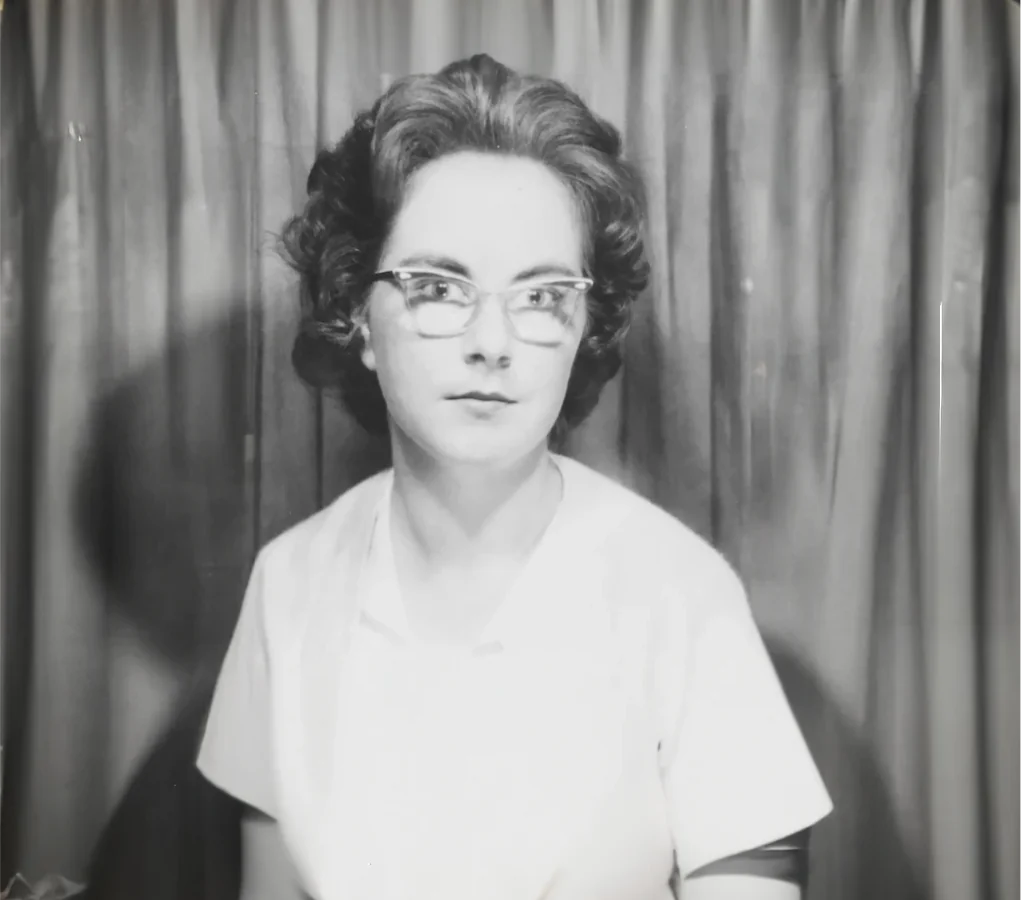
The original matters more than anything else. No tool can recover detail that was never captured, so the sharper, better lit and less damaged the starting point, the better the result.
- Scan rather than photograph, if you can. A flatbed scanner captures far more detail than a phone and avoids glare and distortion. For small prints, scan at 600 dpi or more.
- If you do use a phone, photograph the print in soft, even daylight, hold the camera square to it and avoid reflections from glass or glossy paper.
- Scan the whole print, including its edges and any damage. It’s easier to repair what’s there than to guess at what was cropped away.
- Keep the originals. Handle old prints carefully and store them safely once they’re scanned. A good scan is a copy, and the print is still the record.
Done this way, an old photo can look better than it has in decades, and the original scan is still there for whatever the next tools can do with it.